Onsite vs Remote IT Support: Which Does Your Business Need?
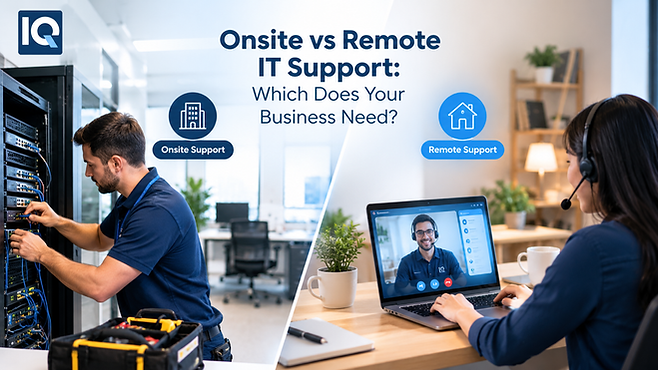
When an IT issue stops someone from working, the first question is often simple: can it be fixed remotely, or does someone need to be there? Understanding onsite vs remote IT support can help you choose the right approach for your business, whether you are dealing with software problems, hardware faults, network issues or employees working from different locations.
For many businesses, the answer is not choosing one option permanently. A combination of remote and onsite assistance can provide faster support for routine issues while keeping hands-on help available when physical equipment needs attention.
The Difference Becomes Clear During Real IT Problems
Remote support works well when an engineer can securely access a device or system without physically touching anything.
Software errors, account problems, Microsoft 365 issues, application troubleshooting and many device configuration tasks can often be handled remotely. Support can begin without waiting for an engineer to travel to the office.
Onsite support becomes more important when the problem involves physical equipment or the workplace itself. A faulty network switch, damaged laptop, poor Wi-Fi coverage, cabling problem or office technology installation may require someone to inspect the environment directly.
What Remote IT Support Does Well
Remote support is particularly useful for routine issues because an engineer can investigate many problems without being physically present.
An employee might be unable to access an application after a password change. Another person may have an email configuration problem or need help with a software update. These situations may not justify an onsite visit.
Remote support can also be useful when employees work from different locations. A support team can assist users across multiple workplaces without sending an engineer between offices.
For everyday technical issues, this can reduce delays and keep employees focused on their work.
When Onsite Support Makes More Sense
Some problems are simply easier to diagnose when an engineer can see the equipment and workplace.
A damaged laptop screen, faulty cabling or unstable network connection may require physical inspection. The same applies when you are moving offices, installing new devices or preparing technology for new employees.
Onsite assistance can also be useful for meeting room equipment, printers, Wi-Fi access points and other physical technology that cannot be repaired through remote access alone.
The important point is to match the support method to the problem rather than treating every IT issue in exactly the same way.
How to Decide What Your Business Actually Needs
Before choosing a support model, look at your recent IT issues.
How many required physical access? How many were solved remotely? How often did employees have to wait because an engineer needed to travel?
This simple review can reveal more than assumptions about what your business needs.
You should also consider your workplace setup. A single-site business with significant physical infrastructure may have different requirements from a business where most employees work remotely and rely heavily on cloud applications.
Why a Blended Support Model Can Be Practical
Choosing onsite vs remote IT support does not always have to be an either-or decision.
A blended approach can assign remote support to everyday user and system issues while using onsite engineers when physical intervention is required. This gives you access to the appropriate type of assistance without treating every problem as an onsite callout.
It can also help internal IT teams. Routine tickets can be handled remotely while internal staff focus on projects, planning and business-facing responsibilities.
This type of flexible approach is common within Managed IT Support, where businesses can receive ongoing assistance for both everyday technical issues and more complex requirements.
Questions to Ask Before Choosing a Provider
The support model matters, but the service behind it matters just as much.
Ask potential providers how remote access is secured, how urgent issues are escalated and when an onsite engineer becomes necessary. You should also ask about response times, after-hours coverage and how hardware warranty issues are handled.
For onsite support, clarify whether visits are scheduled, ad-hoc or both. Ask whether the provider can assist with new device rollouts, office moves, network troubleshooting and vendor coordination.
For remote support, ask which systems can be supported remotely and whether the provider can work with your existing Microsoft 365, Google Workspace or other business platforms.
Get response commitments and pricing arrangements in writing. Support models vary, so the current terms should be clear before you sign.
What If You Already Have an Internal IT Team?
External support does not automatically mean replacing your existing IT staff.
A business may already have capable IT employees but need additional help during busy periods, complex projects or specialist incidents. In that situation, staff augmentation or escalation support can fill specific gaps.
This arrangement can be useful when your internal team understands the business well but does not have enough capacity for every technical requirement.
The key is to establish clear responsibilities. Your internal team should know which issues go to the external provider, how escalation works and who remains responsible for important systems.
FAQs
Is remote IT support enough for a small business?
It can handle many routine problems, particularly when your systems are cloud-based. However, physical devices, office networks and hardware faults may still require onsite assistance.
When should you request onsite IT support?
Onsite support is useful for hardware faults, network infrastructure problems, device installations, office moves, meeting room technology and other situations requiring physical access.
Is onsite IT support more expensive?
It can involve travel and physical resources, so pricing depends on the provider and support arrangement. Ask for the current pricing model and any onsite visit charges in writing.
Can one IT provider offer both onsite and remote support?
Yes. A blended model can combine remote assistance for routine issues with onsite help when physical intervention is necessary.
Can onsite and remote support work with an internal IT team?
Yes. External engineers can provide additional capacity, specialist knowledge or escalation support while your internal team continues managing core business requirements.
Choosing the Right Mix for Your Business
The real question is not simply onsite vs remote IT support. It is which type of assistance your business needs for different situations.
Review your previous support requests, examine your workplace technology and identify where physical presence actually adds value. Then ask providers how they combine remote assistance with onsite expertise, escalation and internal IT support.
For many organisations, a flexible support model can provide a practical balance. Routine problems can be addressed remotely, while hardware, infrastructure and workplace issues receive hands-on attention when it is genuinely needed.
Comments